Get a quick SEO overview.
See all important metrics for your domain the LRT Smart Dashboard whenever you login.
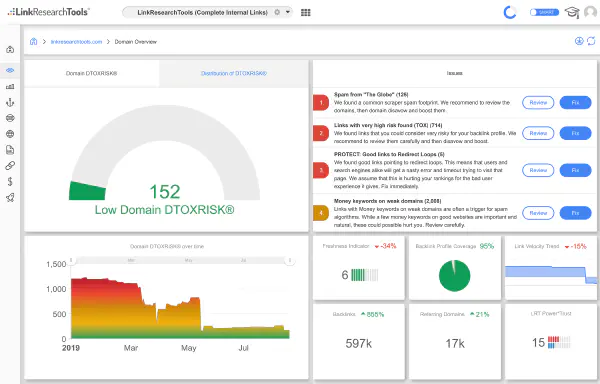
See all important metrics for your domain the LRT Smart Dashboard whenever you login.
For a first impression of any backlink profile, the new Quick Backlinks 2.0 is even more helpful, now with LRT Risk for each link.
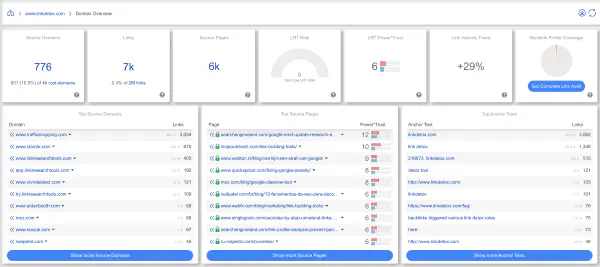

Get a complete picture of your backlink profile.
With LRT you get 25+ different link data sources combined, re-crawled, verified and combined with 150+ SEO metrics.
Analyze link profiles like never before.
Over 150 SEO metrics available for every link leave no SEO question unanswered.
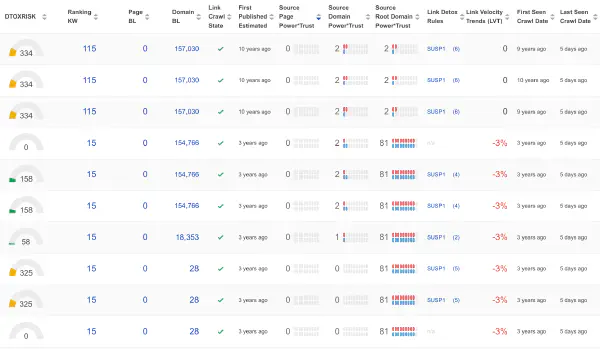
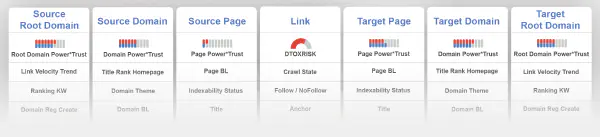
We provide you metrics for every link scope there is.
It is not enough to only look at “domain ratings”, such as domain-wide visibility, when you need to evaluate links.
Work with the “golden links”, not all the automated nonsense links we can filter easily.
LRT gives you the full picture and an assessment for the trust, power and risk of every link.

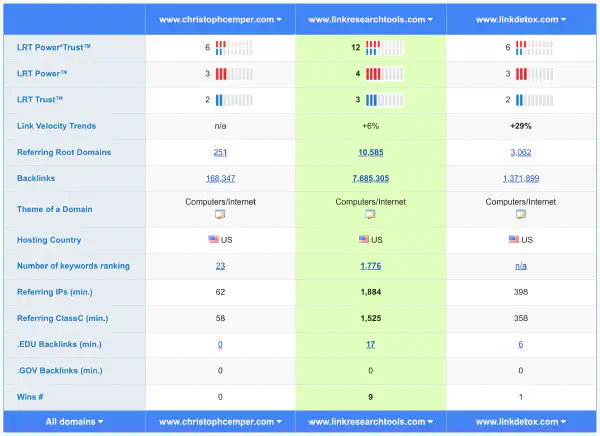
Perform a quick side-by-side comparison of domains.
Stop looking for “High DR” links. Look for trustworthy and healthy links your competition has scored, and you not.
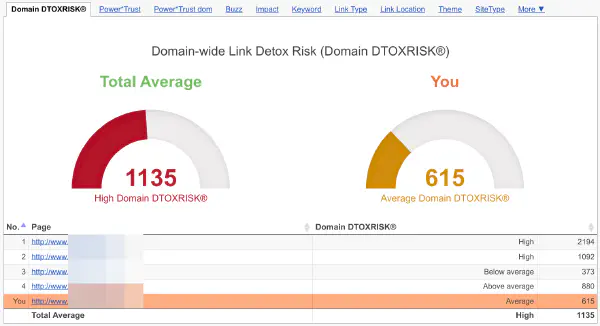
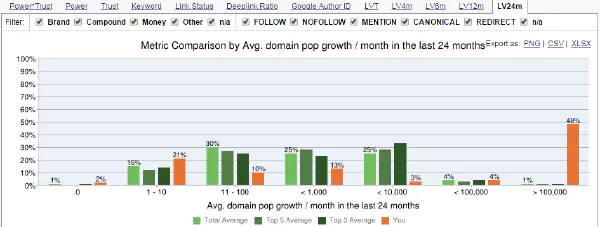
Review link profiles like you’ve never seen it before. Chart dozens of SEO metrics as histograms to see new SEO angles.
Based on your data and our experience you get help on how links and issues are grouped.
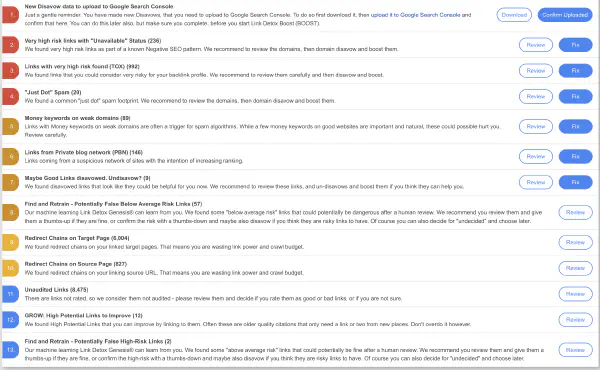

We help you protect your website from negative SEO.
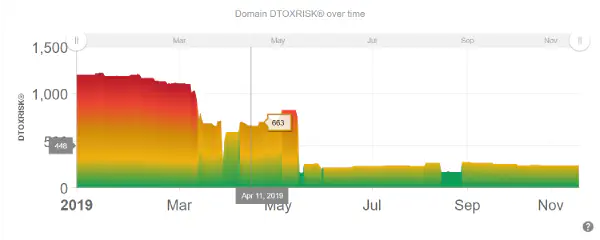
Ongoing monitoring of the risk in your backprofile helps you make the right SEO decisions.
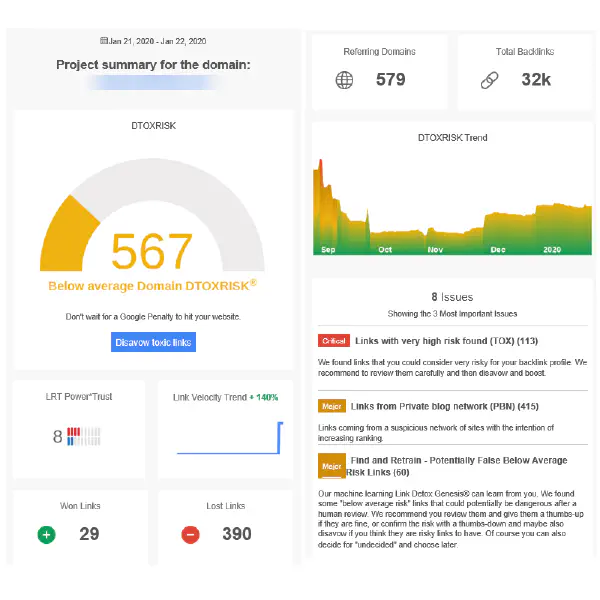
You can get useful summary emails for every website you monitor. No need to log in for a quick overview.
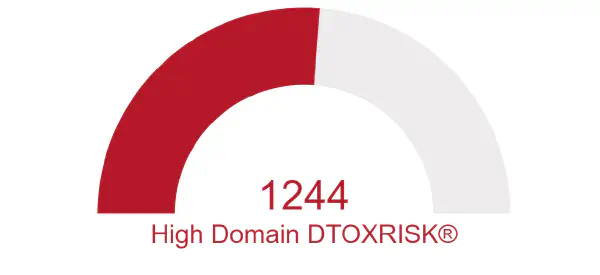
Link Detox Risk is a unique risk metric calculating the risk of any link and your domain. Judging on the link risk of any single link helps you decide which ones to disavow, delete or to keep.

Using Link Detox Boost® you can speed up crawling of links and disavows. We also report exact crawling time stamps.
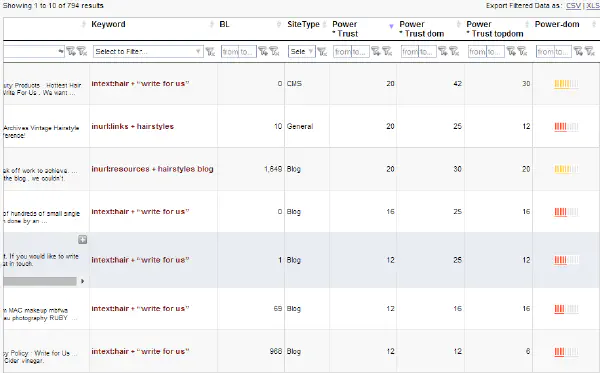
Use the SERP Research Tool to perform dozens of Google queries in parallel, then look at the best unique only.
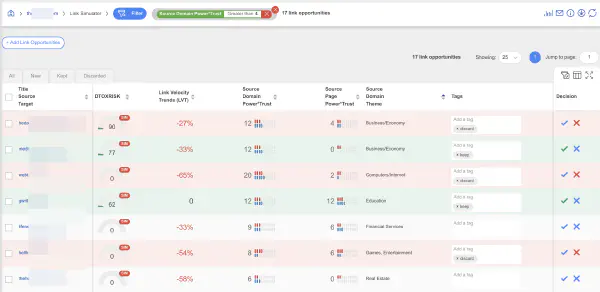
Use the Link Simulator for the best possible estimate how much a link will help or hurt your rankings.
You can run Link Detox® also on expired or aged domains. Judge on what you may be getting if you win the bid. LRT gives you the edge. Set educated bids, not just by “High DA link” counts like your competition.
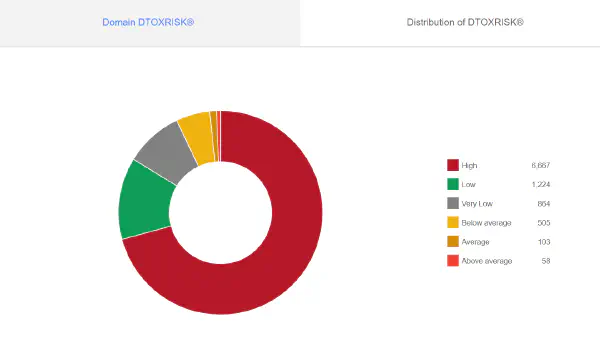
Use the Bulk URL Analyzer to get SEO metrics for 1000s of domains at once.
Bid only on the best domains.
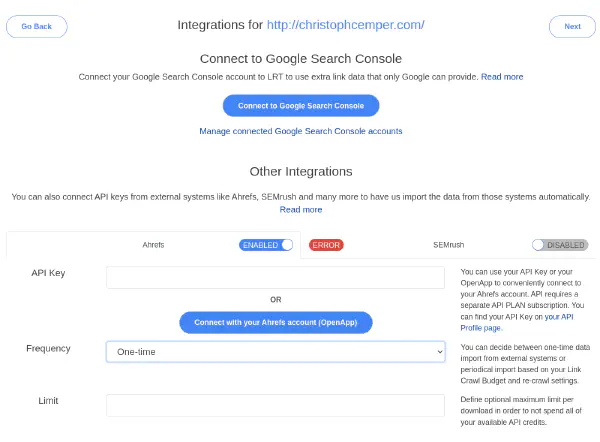
We will import all link data automatically for you.
You can upload any data you have, we will recrawl and verify it.
Upload from Ahrefs, Majestic, Semrush, Sistrix or your own custom URL lists.
Using LRT you can also clean up backlink profiles from aged or expired domains you own, or are still bidding on.
You want to disavow any possible toxic links we find for you before starting a new project on that aged domain.
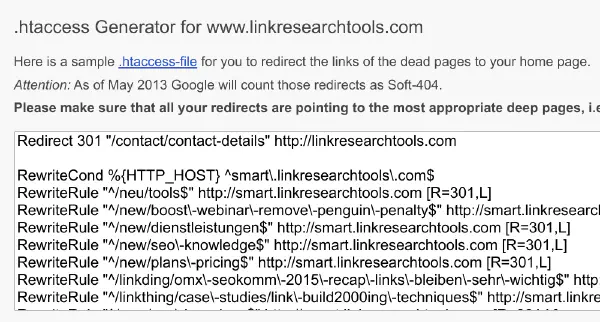
Use the Link Recovery tool to generate redirect instructions (.htaccess) automatically for the strong links you missed.
This also works wonders after a website relaunch, in addition to expired domains.
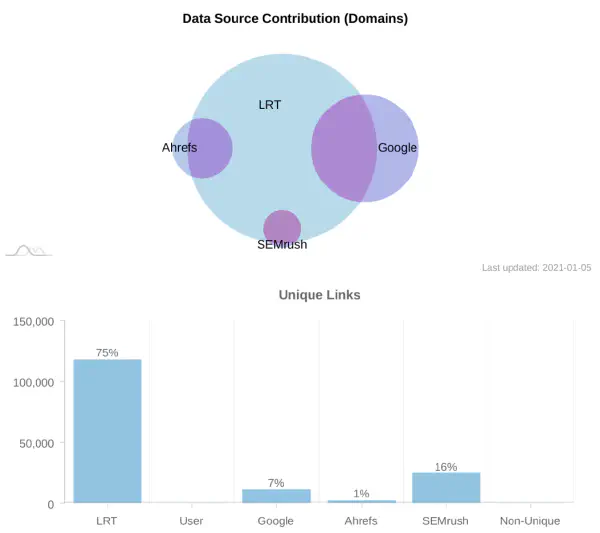
Using the contribution report you see exactly how much you get extra by connecting APIs from Ahrefs, Semrush or Google Search Console. LRT has a lot of link data already.
Export a full PDF report with all findings, details and explanations with 1 click.
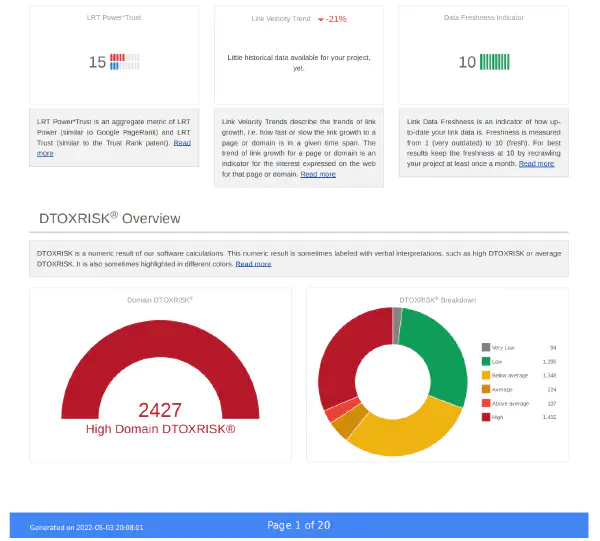

Why work with incomplete or old results?
LRT creates an up-to-date link index especially for you, with freshly crawled data.
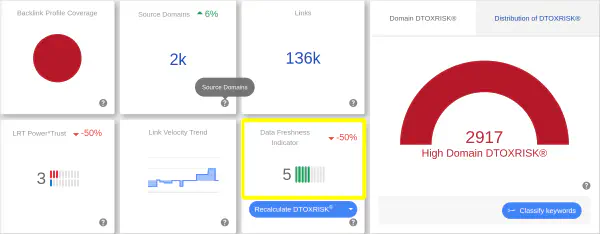
We even have a KPI for the freshness of your data.
This is an indicator of how up-to-date your link data is for the current project. Start a recrawl with 1-click.
Many years of experience and hard work went into our top priority:
To get you the best possible link profile and SEO metrics data for your SEO work.