Link Juice Thief (LJT)
Get indirect links from your competitors.
Get indirect links from your competitors. Find out where your competitors link to, get links there, so your competitors will indirectly link to you.
Features
-
Get your competitors to link to you (indirectly)
-
Compare your competitors’ outgoing links
-
Find pages with strong authority in your niche

Benefits
-
Compare outgoing links of up to 50 domains
-
Benefit from a little-known link building tactic
-
Put yourself in the hotspot of the link graph
A quick primer on using Link Juice Thief
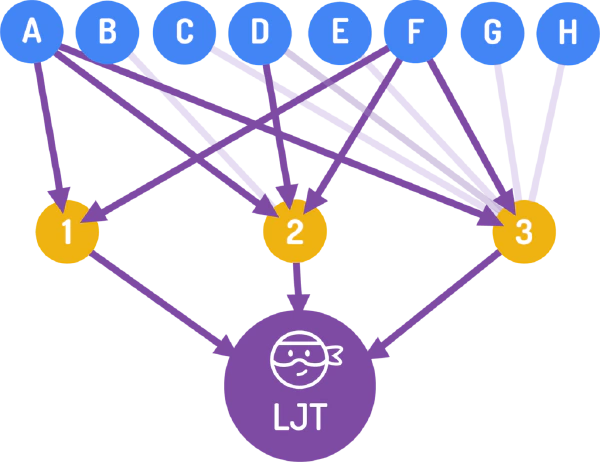
The Link Juice Thief is a backlink building tool that exploits a little-known SEO technique that looks at the outgoing links of your competitors and then looks for common places that they are linking to.
If you can find these common link targets automatically and conventiently and get a link there, your competitors are all of a sudden indirectly linking to you.
Of course you could aswell try to acquire the domains that are commonly linked to, but that depends on your link budget.
The Link Juice Thief will show you a list of sites that your competitors link to and how many of them link to one target (that’s the “commonality” column).
The Link Juice Thief can give you a lot of ideas about acquiring links.
Quite often you might find domains that you would never have thought of.
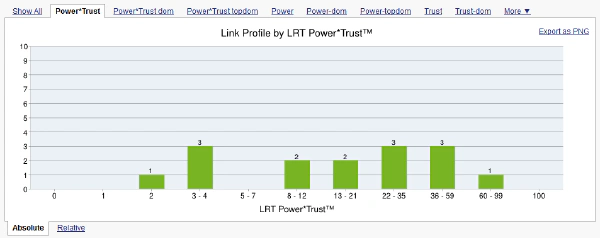
Easy visualization for an overview of common backlinks
The histogram shows the common backlinks of your competition and groups them according to the strength of the commonality and the chosen metrics. You can switch between the tabs to view other metrics.
Quickly spot commonality with the results matrix
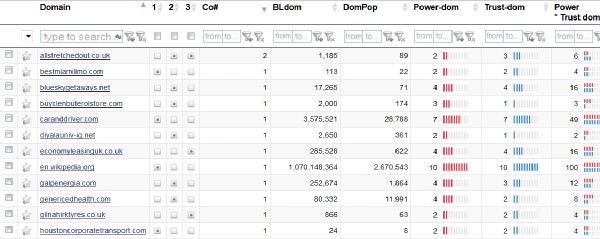
The Link Juice Thief has a similar results matrix to the Common Backlinks Tool. Here you can click on any of the points in the matrix to launch a QBL and find out more about your potential link sources. In many cases, you will find that the places linked to are authoritative sites relating to the niche.
In the results grid of the LJT, you can click any of the ‘points’ to launch a QBL, which will show you more information about that link relationship.
Features
Unique SEO Technique
This Link Building Method is not available in any other SEO tool.
25+ Link Data Sources
Link Data from 25+ Data Sources combined.
Full and Rich Exports
You get full XLS exports and rich PDF exports, while competitors cripple their data exports at sometimes 10k rows already.
Link Brain
We can assist you with decades of experience in SEO and links. This is not a matter of course with every SEO software provider.
Dynamic Filters
Filter your results by up to 150+ SEO metrics.
No Trash Data
The links that we DO NOT deliver to you matter! We take pride in filtering out as much nonsense data from other sources as possible.
How the Link Juice Thief works
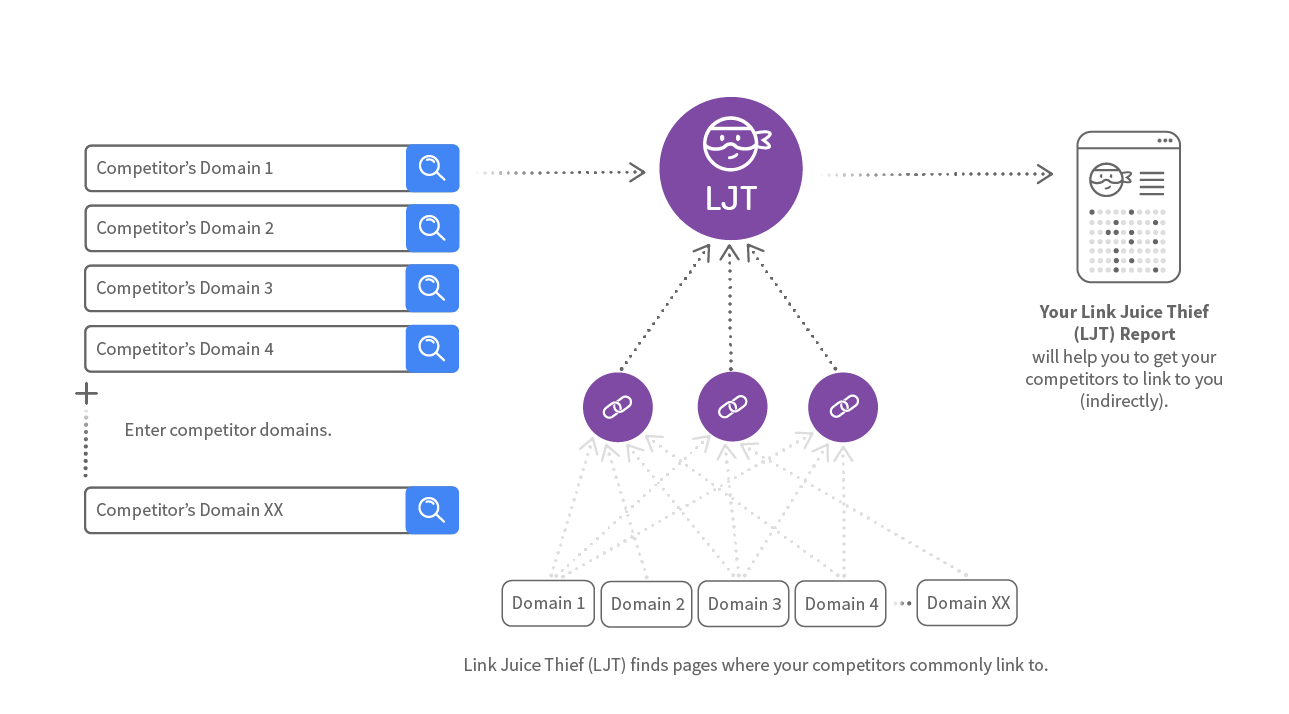
Learn more about Link Juice Thief
In this case study by Wojtek Mazur you can see how to use the Link Juice Thief to find link prospects in the hair styling niche.